


Sin categoría
Epson Develops Imaging WorkShop Software to Dramatically Enhance Photographers’

Epson Develops Imaging WorkShop Software to Dramatically Enhance Photographers’ Workflow
Features of Imaging WorkShop
2. Simple functions exclusive to Epson printers
3. Color management without needing specialized knowledge
4. Printing with various layouts
5. Supports RAW formats from various digital cameras
6. Internal 16-bit high-quality image processing
7. Non-destructive image processing prevents deterioration of images even after repeated adjustments
8. Powerful photo selection tools
9. Powerful image editing tools
10. Movie guide – a "how to" movie on using Imaging WorkShop
11. Integration with Photoshop(R) and other image editing applications
Click here for more details on the features of Imaging Workshop.
Lo más leído en Sin categoría
-
 Consola
Juega gratis en el navegador más de 240 títulos sin instalar nada
Ported2Browser es un sitio que reúne más de 240 juegos que corren gratis en el navegador, sin instalar…
-
 Android
Concat es la alternativa gratuita y open source a CapCut que edita video sin marca de agua
Concat es un editor de video gratuito y de código abierto para Windows, macOS, Linux y Android que…

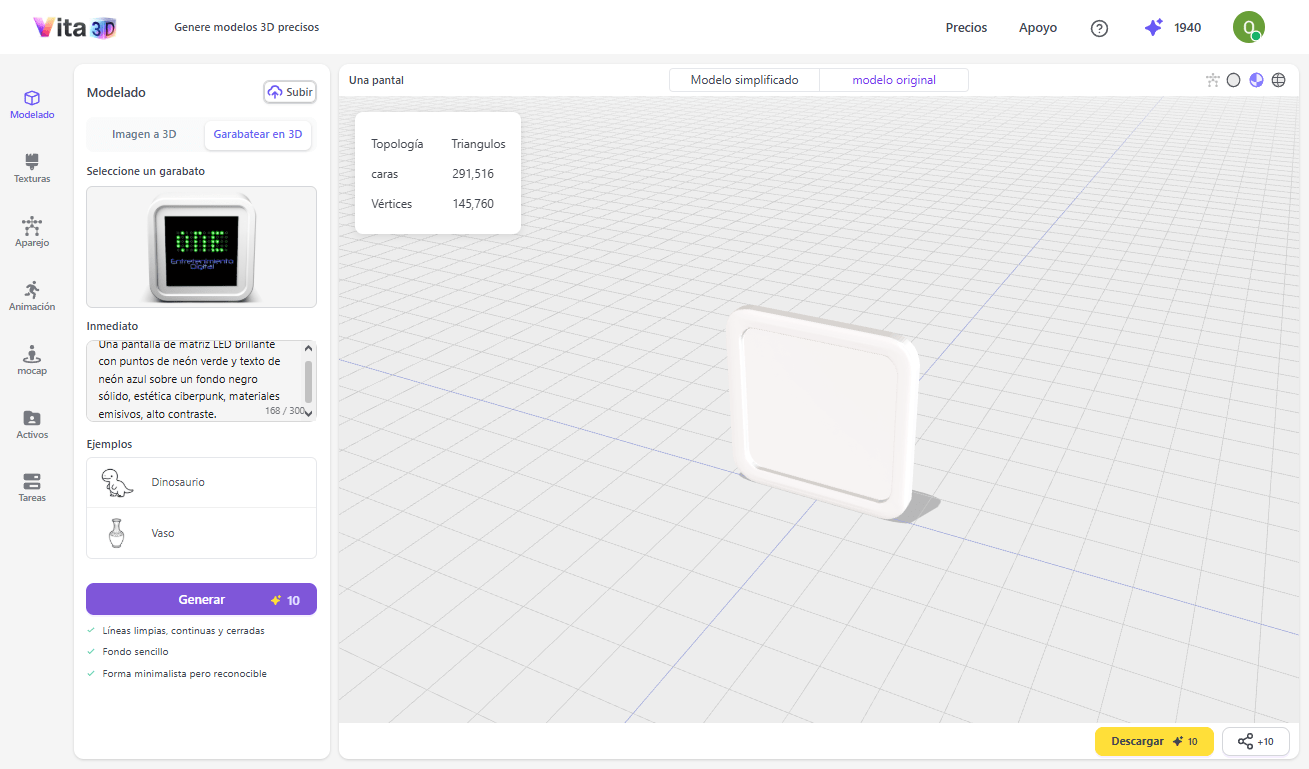
La generación de contenido tridimensional mediante inteligencia artificial ha dejado de ser un experimento de laboratorio para convertirse en una herramienta cotidiana en estudios de videojuegos, diseño de producto e impresión 3D.
Lo más leído en Sin categoría
-
Consola
Juega gratis en el navegador más de 240 títulos sin instalar nada
Ported2Browser es un sitio que reúne más de 240 juegos que corren gratis en el navegador, sin instalar…
-
Android
Concat es la alternativa gratuita y open source a CapCut que edita video sin marca de agua
Concat es un editor de video gratuito y de código abierto para Windows, macOS, Linux y Android que…
¿Quieres pasar tus listas de reproducción de Spotify a Apple Music sin pagar por herramientas de terceros? Con la ayuda de la inteligencia artificial, es posible optimizar el proceso de manera sencilla. Aquí te presentamos cuatro métodos reales, desde opciones directas en el navegador hasta soluciones locales avanzadas para usuarios técnicos.
Lo más leído en Sin categoría
-
Consola
Juega gratis en el navegador más de 240 títulos sin instalar nada
Ported2Browser es un sitio que reúne más de 240 juegos que corren gratis en el navegador, sin instalar…
-
Android
Concat es la alternativa gratuita y open source a CapCut que edita video sin marca de agua
Concat es un editor de video gratuito y de código abierto para Windows, macOS, Linux y Android que…

Wardrum es un roguelite táctico por turnos donde planificas cada movimiento y lo ejecutas al compás de un tambor tribal. Desarrollado por Mopeful Games y publicado por Team17, este título propone una fusión poco habitual entre la estrategia en cuadrícula y la ejecución rítmica que lo distingue del resto del género.
Lo más leído en Sin categoría
-
Consola
Juega gratis en el navegador más de 240 títulos sin instalar nada
Ported2Browser es un sitio que reúne más de 240 juegos que corren gratis en el navegador, sin instalar…
-
Android
Concat es la alternativa gratuita y open source a CapCut que edita video sin marca de agua
Concat es un editor de video gratuito y de código abierto para Windows, macOS, Linux y Android que…
Lo más leído
-
 Herramientas
vLLM hace la inferencia de LLMs hasta 24 veces más rápida
-
 Digitalización
DeepSeek-V4-Pro-Qwen3.5-9B UNCENSORED: el 9B decensurado con Heretic
-
 Consola
Revisión: Kingdom of Night – Terror cósmico ochentero en Switch
-
 Android
Pokémon GO: eventos e incursiones del 9 al 15 de noviembre de 2026
-
 Entretenimiento
Revisión: InkQuest – Motor para crear aventuras de texto sin código
-

 Apps11 años ago
AMPcast, la herramienta de Pandora que permite a los artistas grabar mensajes de audio directamente a sus seguidores
-
 Blogs5 años ago
Conoce los mejores sitios de Torrents para descargar todo tipo de contenidos
-
Android5 años ago
Aprende cómo usar Discord para ver películas con tus amigos
-
Arte y Cultura14 años ago
Colección de fondos de pantalla basados en Super Héroes
-

 Almacenamiento2 años ago
Cómo usar TeraBox: La guía definitiva para aprovechar 1 TB de almacenamiento en la nube
-
Diseño13 años ago
css3ps: plugin que convierte archivos PSD a CSS3
-
Apps9 años ago
Picturethat, app que usa la Realidad Aumentada para visualizar cómo quedarían los cuadros antes de colgarlos
-
Eventos Especiales14 años ago
Especial Día de la Madres: fondos de pantalla especiales para Mamá